OpSek

DEEN

Enquire

Bern · Basel · Zurich · Geneva

Switzerland. Security. Clarity.

A Google Pixel with GrapheneOS, set up and checked by us and handed over in person. Your data stays encrypted. Camera, microphone, radio and cable are under your control.

01Why

A normal phone talks a lot.

A standard device keeps sending data to manufacturers, ad networks and companies you have never met. Most of the time you notice nothing.

An OpSek device is set up to report as little as possible to the outside. What you store and write stays encrypted. Only someone with the key can read it.

Move your mouse over it.Drag your finger across it. Your key sits under the lens. Only with it does the message become readable.

Example from three points of view: with your key the message is readable. The messenger's provider sees only encrypted characters and no phone number. After a restart the key is not in memory, and without your PIN everything stays encrypted.

02What you get

Device, manual, community.

  1. A

    The device

    A new Google Pixel from Swiss retail, set up from scratch. Every device is checked individually before it is handed over.

  2. B

    The manual

    A handbook for your setup. It explains what runs on your device, why it is set up that way and what to watch for in everyday use. Made for looking things up, not for reading once.

  3. C

    The community

    Anyone who has a device from us belongs to it. Your questions and experiences are welcome, and we keep building this together.

From the setup log. Every setting is checked and recorded before the device reaches you. Excerpt, no sound, German interface.

03The layers

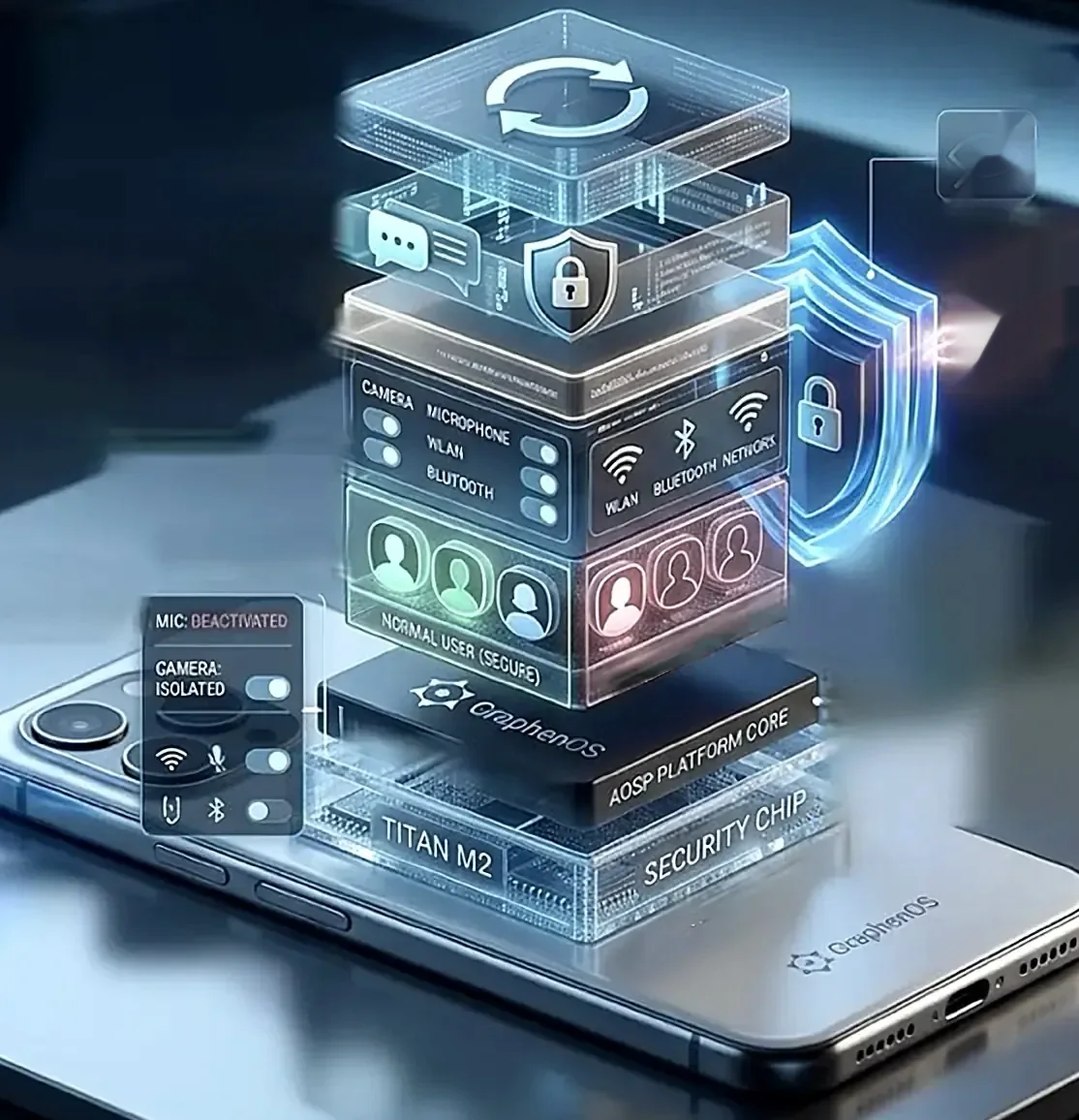
Seven layers, from the app to the chip.

Scroll down and go through the device with us. Each layer protects something different. Each one also says where its limit lies.

Layer 01

Apps and permissions

Every app gets only what it needs. Camera, microphone, location, network and sensors are released one by one. With one tap you switch off camera and microphone for all apps.

LimitAn app you grant a permission can use it. What you install remains your decision.

Layer 02

Communication

A messenger without a phone number and without an account, end-to-end encrypted and ready to use. With Gold, messages are set to disappear after a set time.

LimitWhoever you write with can read your messages. A screenshot on the other side cannot be prevented.

Layer 03

Profiles

Everyday life and confidential matters run in separate profiles, each with its own apps, data and key. We set up two. GrapheneOS allows up to 32, for example one for travel or one for an app you do not trust. When you end a profile, its apps stop and its key is wiped from memory.

Everyday active · other profiles ended

LimitA profile is separation, not a hiding place. Anyone holding your unlocked device sees the profiles.

Layer 04

Radio and cable

NFC and Bluetooth are off from the start, and Wi-Fi and Bluetooth switch themselves off after a while. In every Wi-Fi network the device shows a new address. On a locked device the USB-C port passes power only, no data.

LimitYour mobile provider still sees where your device is registered.

Layer 05

System

GrapheneOS is open source and hardened against attacks. It runs without advertising and analytics services. Updates arrive signed. If the device stays locked for long, it restarts and seals your data again. Apps that demand Google services run in a sandbox if you want them to.

LimitA device without updates ages. Install them when they arrive.

Layer 06

Boot

At every start the device checks that the system is unchanged (Verified Boot). At handover we check the signature together with you, so you can see that nobody changed anything in between.

LimitThe check says the system is genuine. It says nothing about apps you install later.

Layer 07

Security chip

The keys to your data depend on the Titan M2 security chip and on your PIN. The chip slows down wrong PIN entries with growing wait times. A second PIN, the emergency PIN, wipes the device immediately and irreversibly if you wish, including the eSIM.

LimitA short PIN is guessed quickly. At handover we show you how long it should be.

04On the way

Encrypted on the way.

A message is encrypted on your device and only opened again by the recipient. On the way in between, relay points see nothing but unreadable characters.

The diagram shows four example places. They are not server locations.

LimitAnyone reading at the start or the end of the route, for example on the recipient's device, sees the message in plain text. Encryption protects the route, not the ends.

Diagram: encrypted messages between Bern, Basel, Zurich and GenevaOutline of Switzerland with four example places. Glowing lines show messages travelling between them. The content stays unreadable.
Diagram. The four places are examples, not server locations.

05Base and Gold

Two configurations. One device.

Base contains all seven layers. Gold also protects where your confidential connections go.

For anyone who wants to keep everyday life and confidential matters cleanly apart.

  • New Google Pixel with GrapheneOS
  • No advertising or analytics services
  • Separate profiles, two set up
  • Messenger without a number, ready to use
  • App permissions checked one by one
  • Offline maps
  • Emergency PIN
  • Authenticity check at handover
  • Encrypted connection (VPN) for the confidential profile, 12 months
  • No network in the confidential profile without this connection
  • Anonymised routing for selected apps
  • Disappearing messages set up from the start

Which one fits?

What do you want to protect?From whom?What happens if it goes wrong?

Security people start with these three questions. If your concern is data collectors and keeping everyday life apart from work, Base is enough. If you travel for work, or you do not want your provider to see where your confidential connections go, take Gold. If you expect targeted attacks by well-resourced adversaries, no device is enough on its own. Then write to us first.

06Process

From the first email to handover.

  1. 1

    Enquiry

    You write to us, ideally from a separate address that does not carry your name.

  2. 2

    Conversation

    We clarify what you want to protect and whether Base or Gold fits.

  3. 3

    Device

    We buy a new Pixel from Swiss retail.

  4. 4

    Setup

    Set up and checked in a fixed procedure, within 5 to 10 working days.

  5. 5

    Handover

    In person in Bern, Basel, Zurich or Geneva, or insured shipping. We check authenticity together, and you set your own PINs.

07Honestly

What a device cannot do alone.

  • No protection against everything

    Against targeted attacks by well-resourced adversaries a device helps, but it is not enough on its own.

  • No hiding place

    Profiles separate. They do not hide that they exist.

  • The network stays the network

    Your mobile provider sees where your device is registered, even with Gold.

  • You stay decisive

    Your PIN, your updates and the apps you install help determine how secure the device stays.

08Who it is for

For everyone who carries confidential matters.

  • JournalismSources stay sources.
  • Medicine and carePatient data does not belong on a standard device.
  • Banking and advisoryClient conversations stay confidential, even on the move.
  • Security servicesA device that reports little to the outside.
  • TravellersEveryday life and confidential matters kept cleanly apart.
  • Private individualsFor anyone who does not want their own phone keeping a record.

09Data sheet

The technology in numbers.

Device
Google Pixel, current model, new from Swiss retail
Operating system
GrapheneOS, open source, signed updates
Updates
seven years according to Google
Security chip
Titan M2, according to Google
Boot
Verified Boot, signature verifiable at handover
File contents
AES-256-XTS
File names
AES-256-CTS
Profiles
two set up, up to 32, own key per profile
USB-C
locked: charging only
Auto-reboot
default 18 h, adjustable
Radio
NFC and Bluetooth off from the start, time limit for Wi-Fi and Bluetooth
Telemetry
no analytics services in the system

Sources: grapheneos.org/features, grapheneos.org/faq, Google Store. As of October 2026. Features can change with updates.

10FAQ

What people often ask.

Your question missing? Write to us, we reply personally.

Ask a question
Can I use my usual apps?

Most of them, yes. Apps that demand Google services run in a sandbox if you want them to, with normal app permissions. It is best to install them in the everyday profile, not the confidential one.

Do you know my PINs?

No. You set all PINs yourself at handover. We do not see them and we store nothing of your content.

What does a device cost?

Tell us briefly what you need it for. You will get a reply with an offer for Base and Gold.

Is there support?

OpSek is a one-time sale. In return you get the manual to keep and access to the community, where questions are welcome.

Do I need technical skills?

No. The device arrives fully set up. At handover we go through the most important steps together.

11Who we are

An open network.

People who take digital security seriously. The core is in Bern, Basel and Zurich. Around us, more people work on the same questions, from IT, from university and from practice. There is no hierarchy, only a shared conviction: a smartphone should work for you.

Join in

You do not have to buy anything to be part of it. If you want to think along or build along, write to us. You need no technical knowledge, it is enough that you ask the same questions.

12Accessories

On request.

No shop and no obligation. If you would like something tangible to go with the device, you can ask for it. We settle prices and availability in conversation.

  • Accounts · always twoPair only

    Security keys

    What does that mean?Two small keys for your online accounts, like a house key and a spare. Without the key nobody gets into the account, not even with your password.

    Learn more
    How it works
    You plug the key into the Pixel (USB-C) or hold it against it (NFC) and confirm the login. A fake login page gets nothing it could use to sign in later.
    What it is good for
    For accounts you want to protect especially well: email, cloud, password manager, bank, as far as they support keys.
    Limits
    You register both keys with your accounts yourself, we never see them. Keep the spare key in a different place. The key protects accounts, not the device, and not every account supports it.
  • Radio · pouch

    Shielding pouch

    What does that mean?A pouch that shields radio signals. Like an envelope made of metal: what lies inside does not transmit to the outside.

    Learn more
    How it works
    The fabric guides radio waves around the device. Mobile network, Wi-Fi, Bluetooth and positioning do not reach it as long as the pouch is closed properly.
    What it is good for
    When the device should briefly have no contact: in meetings, on trips, in transit.
    Limits
    The effect depends on workmanship. If the device is not fully inside or the pouch is open, signals get through. We test every pouch before it is passed on.
  • Screen · film

    Privacy screen

    What does that mean?A film for the screen. From the front you see everything, from the side it goes dark. Whoever sits next to you cannot read along.

    Learn more
    How it works
    Fine slats in the film let light through only towards the front. Look at it at an angle and the screen goes dark.
    What it is good for
    For trains, planes, waiting rooms and anywhere others might read along.
    Limits
    Someone standing directly behind you still sees. A film can affect brightness and the in-display fingerprint sensor. We clarify that before it is passed on.
  • All together

    Protection set

    Key pair, shielding pouch and privacy screen as a set. Can also be requested without a device.

13Contact

Write to us.

A click does not open an email. It opens a short guide first on how to write to us with as little data as possible.

Interested in a device, a question or just a conversation. We reply personally.

TipDo not write to us with your name and your main address. The short guide behind the address explains how. None of it is mandatory.

  • HandoverBern, Basel, Zurich, Geneva or insured shipping
  • Duration5 to 10 working days from order
  • Datanone of your content stored with us

Step 1 of 4

Write safely

Four short steps before you write to us. None of them is mandatory. They help you reveal no more than necessary.

Your own sender address

Set up a free email address that reveals nothing about you: no real name, no phone number, no link to your other accounts. Providers like that still exist.

We deliberately recommend none and link to nothing. Search yourself, for example with DuckDuckGo, and read what details a provider asks for.

With an iPhone«Hide My Email» also works. It is better than your main address but stays tied to your Apple account.